Learning how to use a marine radio on a lake takes about twenty minutes of practice, and it is the difference between a call for help and silence. A VHF marine radio talks straight to other boats, marinas and the U.S. Coast Guard without needing a cell tower, which on most lakes is the only help you will get once you are past the last dock. This guide walks through the controls, the channels that matter, how to hail another boat, and exactly what to say when something goes wrong.
Cell service on inland lakes gets patchy fast. The towers sit inland, not over the water, and coves, points and tree lines kill a signal that was fine at the ramp. A marine radio does not care. It is line-of-sight radio, and a handheld on a clear day usually carries 5 to 10 miles across open water while a fixed-mount with a roof antenna can manage 20 or more. This guide is current for the 2026 boating season, and the process barely changes year to year.
Table of Contents
- 1What You Need
- 2How to Use a Marine Radio on a Lake Step by Step
- 3Know the four controls you actually use
- 4Check power and signal before the dock lines come off
- 5How to choose the right lake channel
- 6Listen before you transmit
- 7How to make a clear radio call
- 8How to transmit an emergency message
- 9Common Mistakes
- 10Frequently Asked Questions
- 11Is a cell phone enough on a lake, or do I really need a marine radio?
- 12What channel should I use on a lake?
- 13How far does a marine radio actually reach on a lake?
- 14Do I need a license to use a marine radio?
- 15What do I do if my marine radio gets wet or stops working?
- 16How do I help the Coast Guard locate my boat?
- 17Conclusion
What You Need
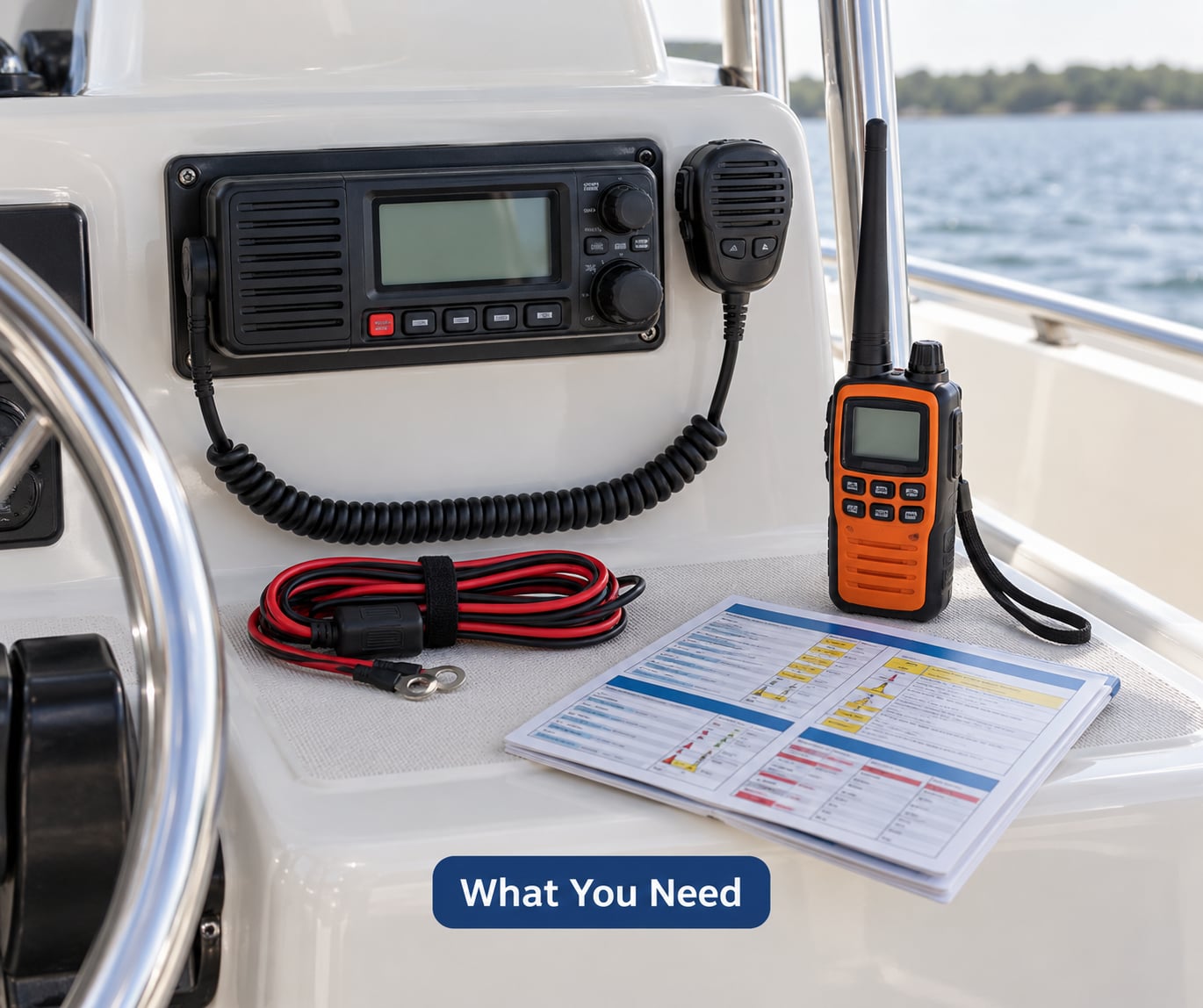
Gather the radio and its support gear before you leave the driveway, not at the ramp with a full boat.
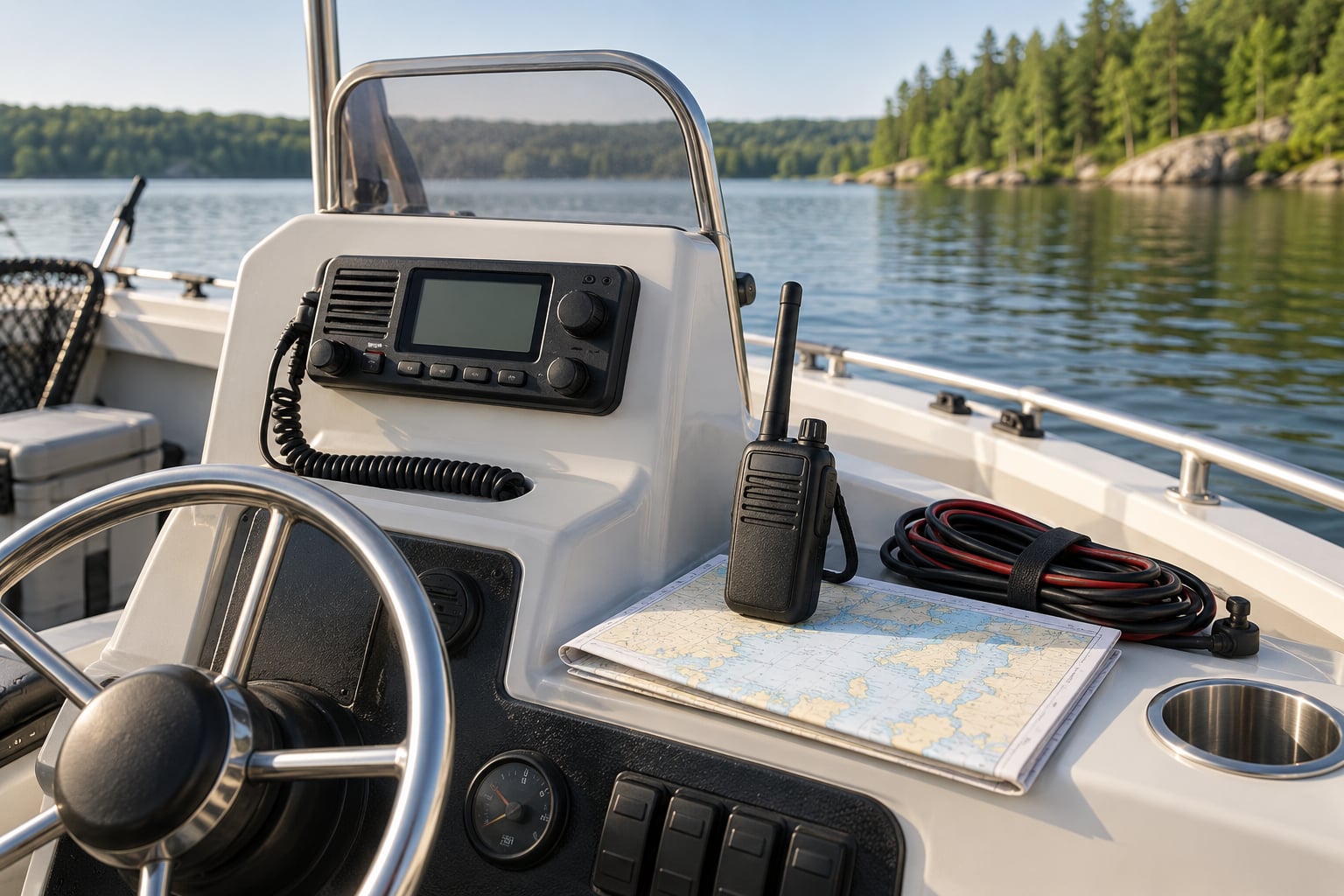
- The radio itself. A fixed-mount unit installed in the console, or a waterproof floating handheld. Most beginners should carry a handheld even if the boat has a fixed-mount, because a fixed-mount dies with the boat’s electrical system.
- Power. A charged battery pack for the handheld, plus a 12-volt connector or a power cable with a fuse if the radio is not permanently wired in.
- A mounting position. For a handheld, a bracket or clip that puts it within reach of the helm and clear of the throttle. For a fixed-mount, an antenna mounted as high as practical, because antenna height is the single biggest factor in range.
- The manual. Every radio lays out its buttons differently. Read the page on programming your MMSI and the page on the distress button before you need them.
- Your license and registration details. Your MMSI number, vessel name, documentation number and home port, written on paper as well as programmed into the radio.
- A backup power source. A spare charged battery pack or a power bank. The most common failure on the water is not a broken radio, it is a radio nobody charged.
- Lake and boating documents. Your local watercraft safety rules, lake patrol contact details, and any assigned or posted channel information for that body of water.
You can hear a marine radio from shore if it is within range, but a handheld tuned to a marine band channel will not pick up ordinary land mobile walkie-talkies, and most consumer walkie-talkies will not reach marine band frequencies either. Marine Channel 16 sits at 156.800 MHz, which is outside the frequency range of the low-power FRS and GMRS units sold for hiking and camping. That is the frequency you hail and distress-call on: 156.800 MHz, transmit and receive.
On the equipment question, a handheld and a fixed-mount are not really rivals. They cover different gaps.
| Feature | Fixed-mount VHF | Handheld VHF |
|---|---|---|
| Transmit power | Typically 25 watts | Typically 5 to 6 watts |
| Typical lake range | 20 to 30 miles with a high antenna | 5 to 10 miles |
| Antenna | Roof or mast mounted, high above the water | Built in, held at head height |
| Power source | Boat battery through a fused panel | Rechargeable pack or AA cells |
| Survives a swamped boat | No | Yes if the model floats |
| Best role | Day-to-day listening and hailing underway | Backup on a small boat, kayak or pontoon |
The right pairing for most families is a fixed-mount for range plus a handheld that floats and lives in a dry bag. If you only own one radio, buy the handheld if your boating stays close to shore, and the fixed-mount if you fish the far end of a large lake.
One more thing to settle before launch: licensing. In the United States, an operator aboard a private or uninspected vessel does not need a license to operate a marine VHF radio, which is the consensus boaters repeat on forum boards such as iboats and paddling.com. Commercial vessels that carry passengers for hire, or operate as a charter or a school, fall under stricter FCC rules. If you are unsure which category you are in, your state boating agency can tell you, and the FCC issues free operator permits for anyone who does need one.
How to Use a Marine Radio on a Lake Step by Step
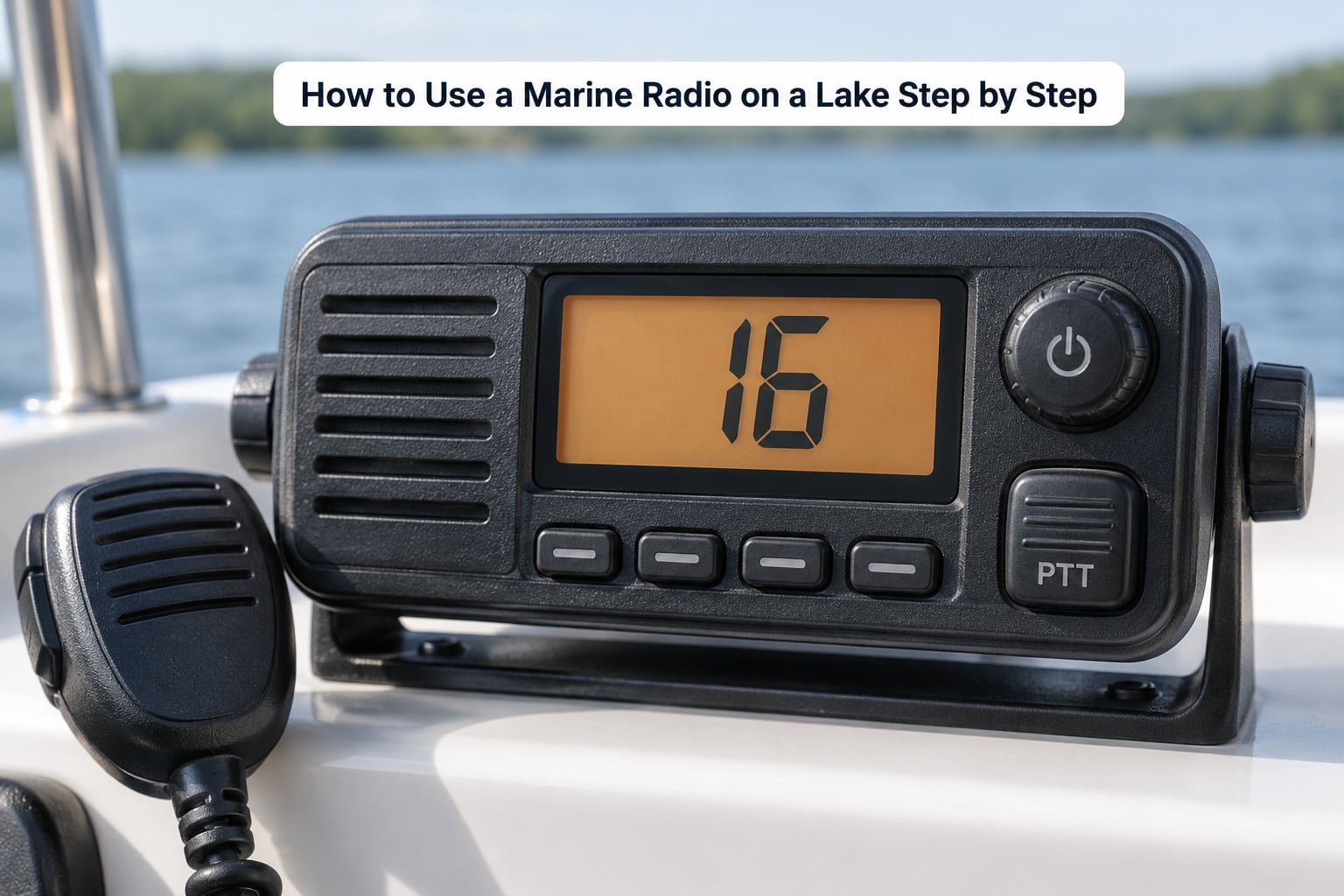
Six steps cover every situation you will meet on a lake: know the controls, confirm power and reception, pick the channel, listen, call, and handle an emergency.
Know the four controls you actually use
Marine radios look complicated and operate simply. Almost everything you need sits on four controls, and once your hand knows where they are you can talk without looking down.
- Power and volume. Usually the same knob. Turn it clockwise to wake the radio and keep turning for volume. Most units also use this knob to select channels, so you will press or pull it after setting the volume.
- Channel selector. The up and down buttons, or the same knob in select mode. Watch the channel number on the display. Channel 16 is the hailing and distress channel in the United States, and it is where most first-time users should start.
- Push-to-talk, or PTT. The big side button. Hold it to transmit, release it to listen. The radio cannot hear you while you hold it.
- Squelch. A small knob or button that suppresses the hiss of open static. Turn it until the hiss just disappears, then back off a touch. Squelch set too high makes the radio deaf, so you miss calls meant for you.
Smaller radios also carry a scan or dual-watch button that lets you monitor two channels at once, a distress button for DSC, and a weather button. Know where those are, then ignore them until you need them.
Check power and signal before the dock lines come off
Do this at the dock, where help is close, not from the middle of the lake.
Switch the radio on, set the volume where you can hear it without shouting, and confirm the battery indicator shows a full or healthy charge. Then put the radio in transmit mode briefly on a working channel and watch the transmit power indicator or listen for the carrier, which confirms the radio is putting out signal and not just receiving.
Run a radio check with another boat or the marina if one is in range: press PTT, say “radio check, this is [vessel name] on channel [number], over,” and wait. A reply from another radio tells you your signal is getting out and coming back. If nobody answers, you have not proven anything, so move a few hundred feet or try a different channel and try again.
On a fixed-mount with DSC, confirm your MMSI is programmed. Radios ship from the factory with no MMSI entered, and an unprogrammed DSC radio cannot send a distress alert with your identity or position. It is the most common setup mistake new owners make.
How to choose the right lake channel
Channel 16 is the default, not the only correct choice. Hailing and distress traffic belongs on 16, and routine conversation does not.
For a lake with an assigned working channel, the right channel is usually posted at the ramp, printed on local boating maps, or listed by the state agency that manages the water body. Some large lakes publish a designated channel for each of their basins, and lake patrol or the county sheriff’s marine unit may monitor a specific one. Marinas often keep a working channel for launch coordination and dock requests, and calling ahead on that channel is far better than shouting on 16.
On small lakes with no assigned channel, boaters commonly settle on Channel 68, 69 or 72 for ordinary talk. If you do not know the local convention, listen. A couple of minutes of scanning 68, 69 and 72 tells you what your neighbors are already using, and matching them causes less confusion than inventing a new habit.
| Channel | Use it for | Who is listening |
|---|---|---|
| 16 | Hailing and distress calls | Every vessel and the Coast Guard |
| 13 | Bridge and working traffic between boats | Vessels in the area |
| 22A | Boat-to-boat hailing, the usual alternative to 16 | Vessels in the area |
| 68, 69, 72 | Routine conversation and marina business | Boaters on the same channel |
| 70 | DSC distress and calling, no voice | Coast Guard and DSC-equipped vessels |
| 72, 75, 76 | Recreational boating working channels | Boaters |
| WX channels | NOAA weather broadcasts, receive only | Nobody transmits here |
Scan, listen, then write the channel down on the trip plan you leave with someone ashore. Write it on the boat too, because paper in a dry bag survives a capsize and a memory does not.
Listen before you transmit
Before every transmission, listen for a few seconds. Marine radio is a party line: everyone on your channel hears everything, and interrupting a call is rude at best and dangerous at worst.
Two habits keep the channel clear. First, keep the PTT for the length of one sentence, no more. Long holds block the channel and drain the battery. Second, wait a full second after releasing the PTT before you speak again, because two radios transmitting at the same time produce that awful squelch-break squawk that makes people say “break break break.”
Say your sentences, then let go. If you need more time, press again.
How to make a clear radio call
Standard marine radio procedure is short and repeatable: you identify your boat, you say it twice, you give your position, you name who you are calling, you say what you want, and you propose a working channel.
Hailing another boat sounds like this on Channel 16: “Boat name, boat name, this is [your vessel name] on channel 16. I am off [the point, the sandbar, the north end of the lake]. I have you at [your marker, mid-channel, two miles east of the ramp]. Let’s switch to channel 68.” Say your vessel name twice because radio names are hard to catch the first time.
Asking a nearby vessel for a tow sounds like this: “Boat name, boat name, this is [your vessel name]. I am disabled and drifting at [position]. I need a tow to the ramp, if you can help. Channel 68?” Keep it to the facts they need to decide: what is wrong, where you are, and what you want.
Calling a marina or a dispatcher is simpler because you are already dealing with a known station: “Lake patrol, this is [vessel name] on channel 16. I am at [launch ramp or location] with [problem]. Two people aboard.” Let the other station write it down rather than reciting a story.
Spelling out hard words helps. Spell each letter clearly and say “say again” if the reply is unclear rather than guessing. Avoid filler, call signs and long vessel names unless they are part of your registered name, and press the PTT a moment before you start speaking so the first syllable is not clipped.
How to transmit an emergency message
Know the three priority calls before you need them.
| Call | Meaning | When you use it |
|---|---|---|
| Mayday | Grave and imminent danger, lives at risk | You are sinking, on fire, swamped, or taking on water fast |
| Pan-Pan | Urgency, danger to the vessel | Engine failure, drifting, a crew member needs medical help, bad weather closing in |
| Securite | Safety, routine safety announcement | You need to broadcast a warning to boats in the area |
Say the word three times, then identify yourself, then state your position, then the nature of the problem, then the assistance you need. A Mayday on Channel 16 sounds like this: “Mayday, Mayday, Mayday. This is [vessel name], call sign [if you have one], a [length] foot [type] boat. Position [nearest landmark or latitude and longitude]. We are taking on water and sinking. Four people aboard. We require immediate assistance.”
Hold the radio a few inches from your mouth, breathe normally, and speak slowly. Boaters repeatedly stress this point on forums: shouting produces a clipped, unintelligible transmission, and the Coast Guard may ask you to repeat. Repeat exactly what they ask.
Stay on Channel 16 unless the Coast Guard or another vessel directs you to another channel. When the controlling station tells you to switch, follow the instruction and tell them you have switched.
If your radio has DSC and an MMSI is programmed, the distress button sends your vessel identity and your GPS position automatically to every DSC-equipped station in range, followed by a voice Mayday on Channel 16. Hold the button down long enough for the radio to transmit, which some models take a full 5 to 10 seconds. Practice finding the button before you need it, but never test-transmit a distress alert.
Common Mistakes
Almost every radio problem on a lake traces back to one of these.
- Holding a conversation on Channel 16. It is a hailing and distress channel, and extended chats there block the one frequency everybody is monitoring. Hail, then move to 68, 69 or 72.
- Squeezing the push-to-talk button. A long hold blocks everyone and drains the pack. One sentence, then release.
- Talking over another station. Count to two after releasing the PTT before you speak again.
- Shouting into the microphone. Hold the radio a few inches away and talk at a normal volume. Loud speech distorts.
- Skipping the boat name and position. “Somebody help me” helps nobody. Name the boat, give the position, say what you need.
- Leaving the radio switched off while underway. You cannot hear a hail for a tow, or a weather warning, if the radio is off. Monitor it.
- An antenna blocked or badly mounted. A handheld clipped low on a console, or a fixed-mount antenna crammed against a metal rail, will cost you most of your range. Height matters more than the radio itself.
- Launching with an uncharged radio. Test the charge, not just the power light, and pack a spare battery.
- Using a marine band radio as a camp walkie-talkie. It will not reach ordinary FRS or GMRS radios, and handheld marine sets are low power. Treat them as different systems.
A few habits make all of it easier. Do a five-minute radio check at the dock before every trip. Set the squelch once and leave it. Keep a written cheat sheet of channels and your vessel details near the helm. And agree out loud with everyone aboard what happens if someone goes in the water, before the day starts.
Frequently Asked Questions
Is a cell phone enough on a lake, or do I really need a marine radio?
A cell phone is a fine backup and a poor primary. Cell towers sit inland, so coverage on open water drops off quickly and coves and points block it entirely. A marine radio reaches any vessel or the Coast Guard within line of sight, works with no subscription, and keeps working when your phone battery is dead or soaked. Carry both.
What channel should I use on a lake?
Channel 16 is the default for hailing and distress on U.S. waters. For routine conversation, most small lakes use Channel 68, 69 or 72, and larger lakes often assign a specific working channel per basin. Check the ramp signage, your state boating agency map or the marina before you leave, then write the channel down.
How far does a marine radio actually reach on a lake?
Expect roughly 5 to 10 miles from a handheld held at head height, and 20 to 30 miles from a fixed-mount with a roof or mast antenna on a clear day. Shoreline, hills, trees and other boats in the way all cut range. Antenna height is the biggest lever you have, which is why a fixed-mount mounted high outperforms a handheld sitting low.
Do I need a license to use a marine radio?
In the United States, no operator license is required to use a marine VHF radio aboard a private or uninspected commercial vessel. Passenger-for-hire, charter and school vessels fall under stricter FCC rules and do need an operator permit. Recreational users still need an MMSI if their radio has DSC, which is free to register through BoatUS or the Coast Guard.
What do I do if my marine radio gets wet or stops working?
Salt water corrodes contacts fast, so rinse a wet radio with fresh water and let it air dry fully before powering it on. If it will not transmit, switch to your handheld or a spare battery pack first, then monitor Channel 16. A battery-only failure is fixable on the dock; a flooded radio is a replacement, so keep it in a dry bag.
How do I help the Coast Guard locate my boat?
Give your position three ways if you can: latitude and longitude from your GPS, the nearest landmark or channel marker, and the lake and basin name. State your vessel name, the number of people aboard and your color. A DSC radio with GPS sends your position automatically when you press the distress button, and holding it long enough for the full transmit matters.
Conclusion
Four things to do before you leave the dock, and you are covered. Learn the four controls on dry land so your hand knows where volume, channel, PTT and squelch are. Find your lake’s channel from the ramp signage, the state agency or the marina, and write it down. Pack a charged spare battery and keep the handheld in a dry bag. Then talk it through with everyone aboard: who calls, who reads back the position, and what you do when someone goes in the water.
That conversation takes five minutes and it is the part most crews skip. Once it is done, how to use a marine radio on a lake stops being a question.